The sync writes facts only. Deals, tasks and status changes belong to workflows inside the CRM, so a sales team can change the rules without touching code.
← Selected workPlate 04 of 05
CRM build
Test build on sample dataThe reply lands in Emailify. The deal starts in the CRM.
Emailify synced into a HubSpot test account and a Salesforce Developer Edition org, with the pipeline, the custom fields and the reply automation set up in each CRM.
- Project
- CRM build
- Context
- Test build on sample data
- My role
- CRM configuration and integration
§ I The problem
Why this exists.
The outreach tool holds the conversation and the CRM holds the pipeline. Without a bridge, someone copies replies across by hand, and every deal starts from whatever they remembered to paste.
§ II How it works
The workflow, step by step.
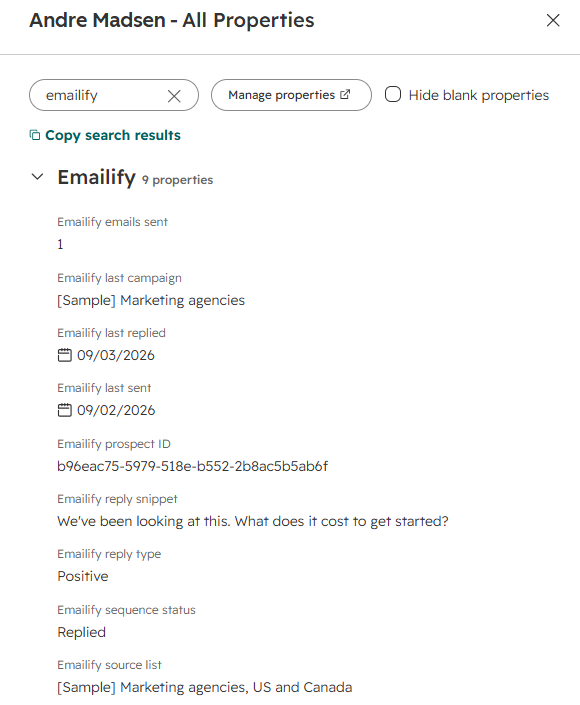
1Emailify records itThe prospect, the campaign they are in, and every reply, classified by type.
2Sync writes the factsCompanies matched on domain with their parent company, then contacts, campaigns and replies. Running it twice creates nothing new.
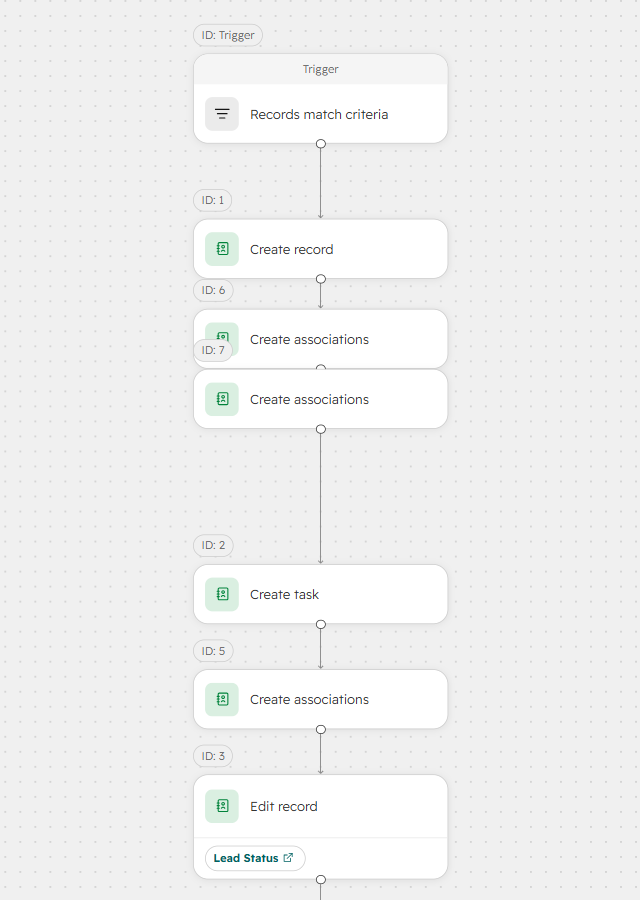
3CRM rule firesA positive reply opens a deal with the contact, the company and a follow-up task linked to it.
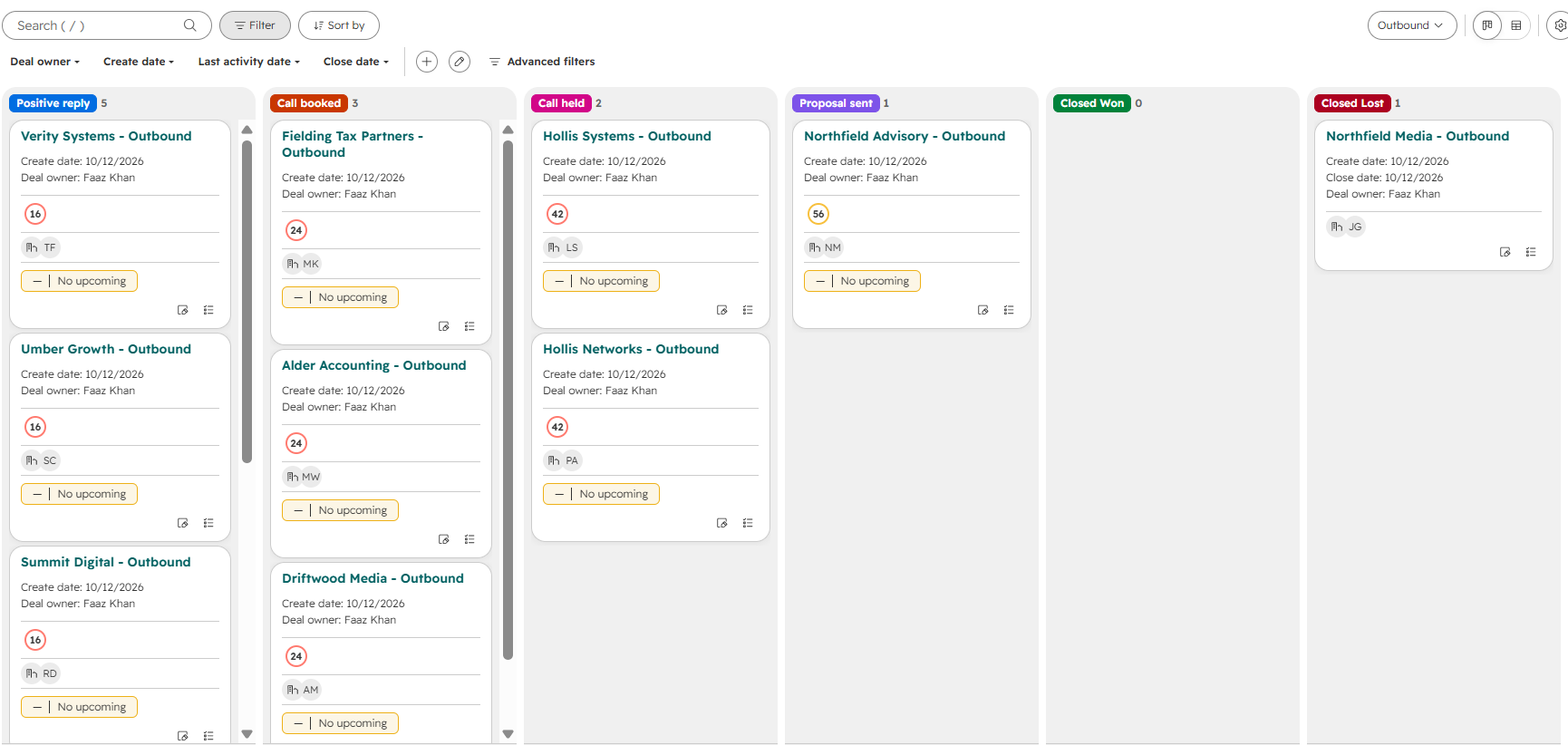
4Deal is workedPositive reply, call booked, call held, proposal sent, then won or lost.
5
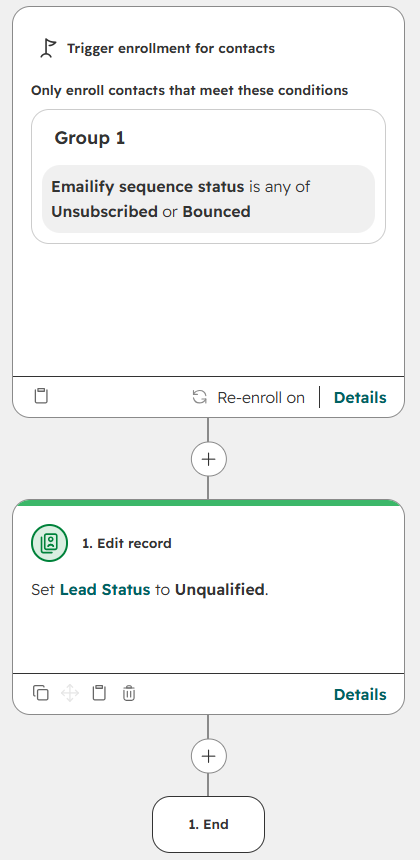
A bounce or an unsubscribe goes the other way: the contact is marked unqualified, and an unsubscribe is opted out of email. A guard stops a contact who already has an open deal from getting a second one.
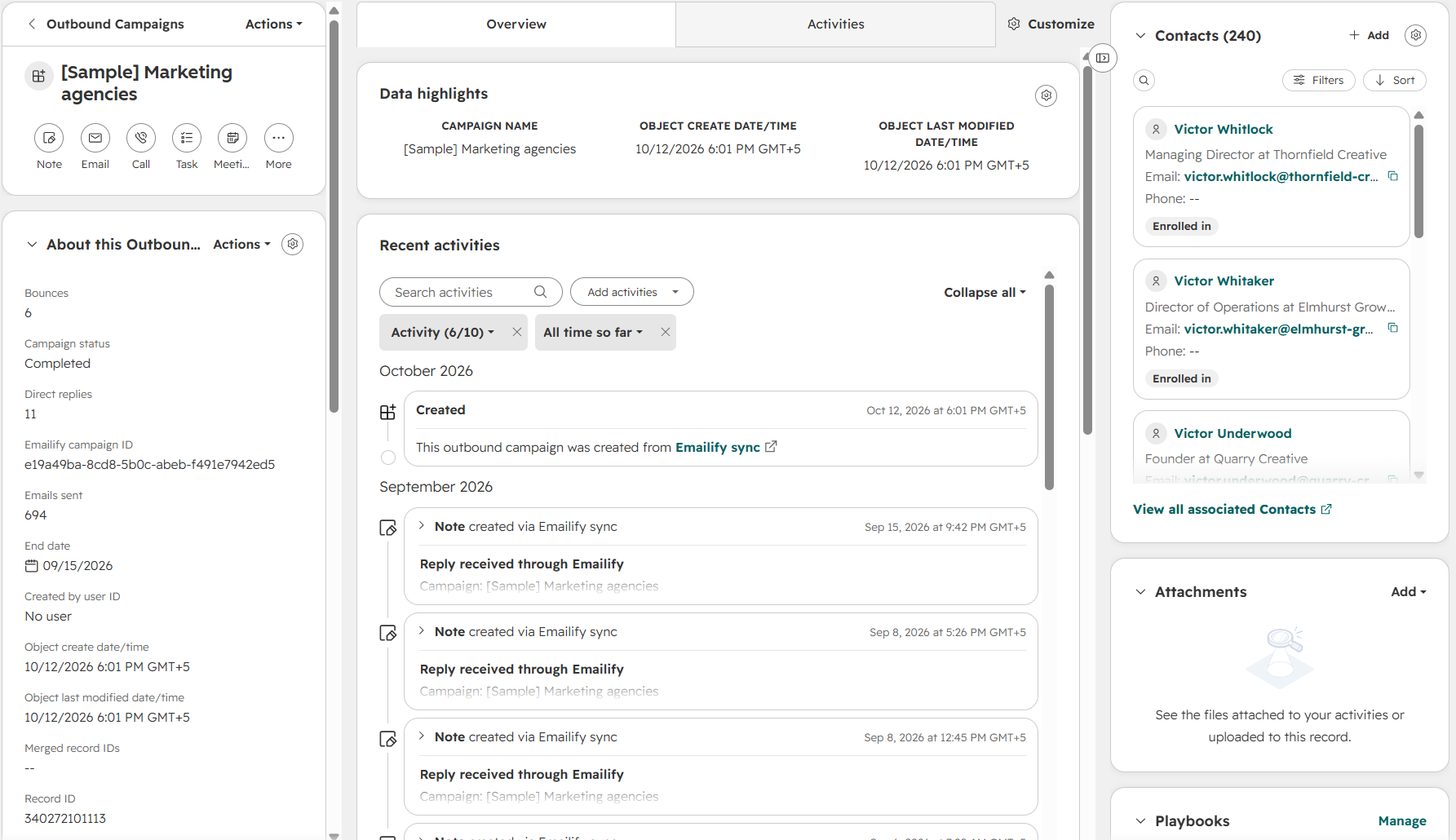
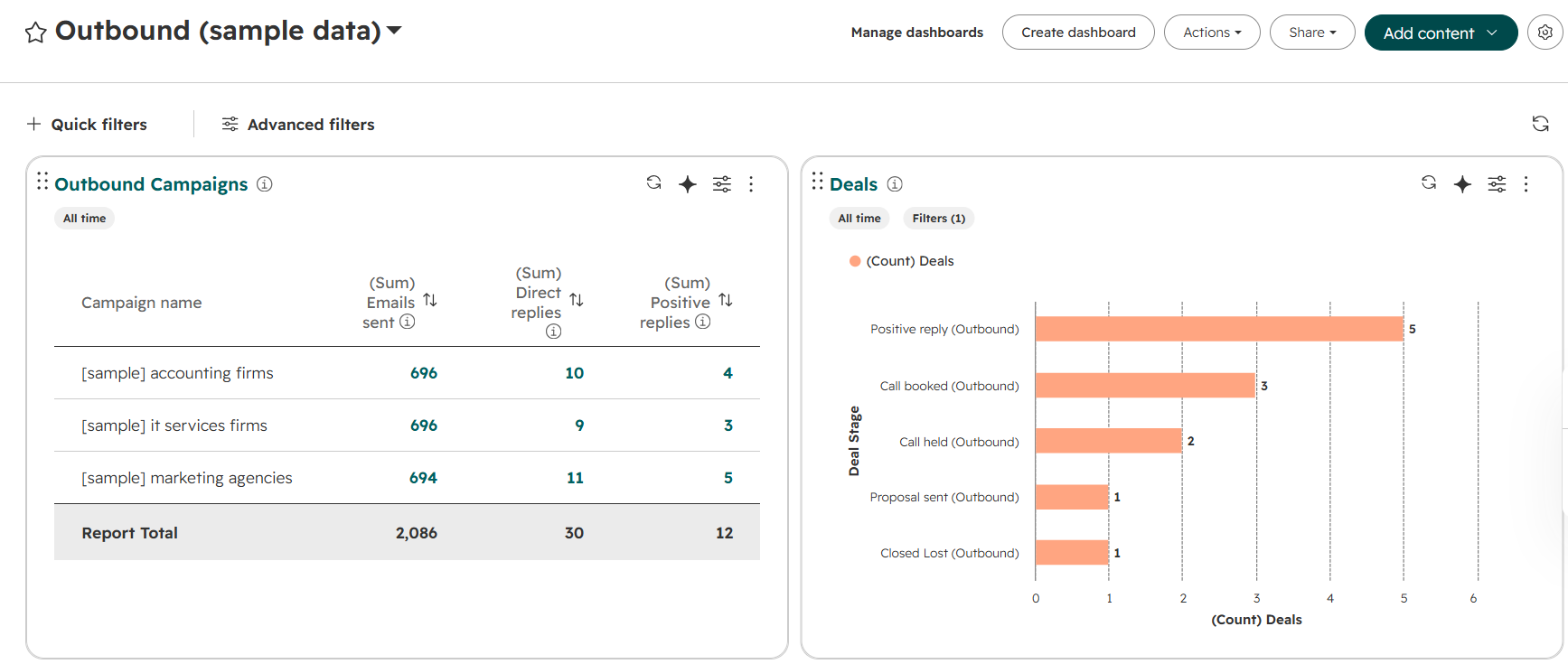
A sample workspace in Emailify holds three finished campaigns: 720 invented prospects at 482 invented companies, with sends, replies, bounces and unsubscribes.
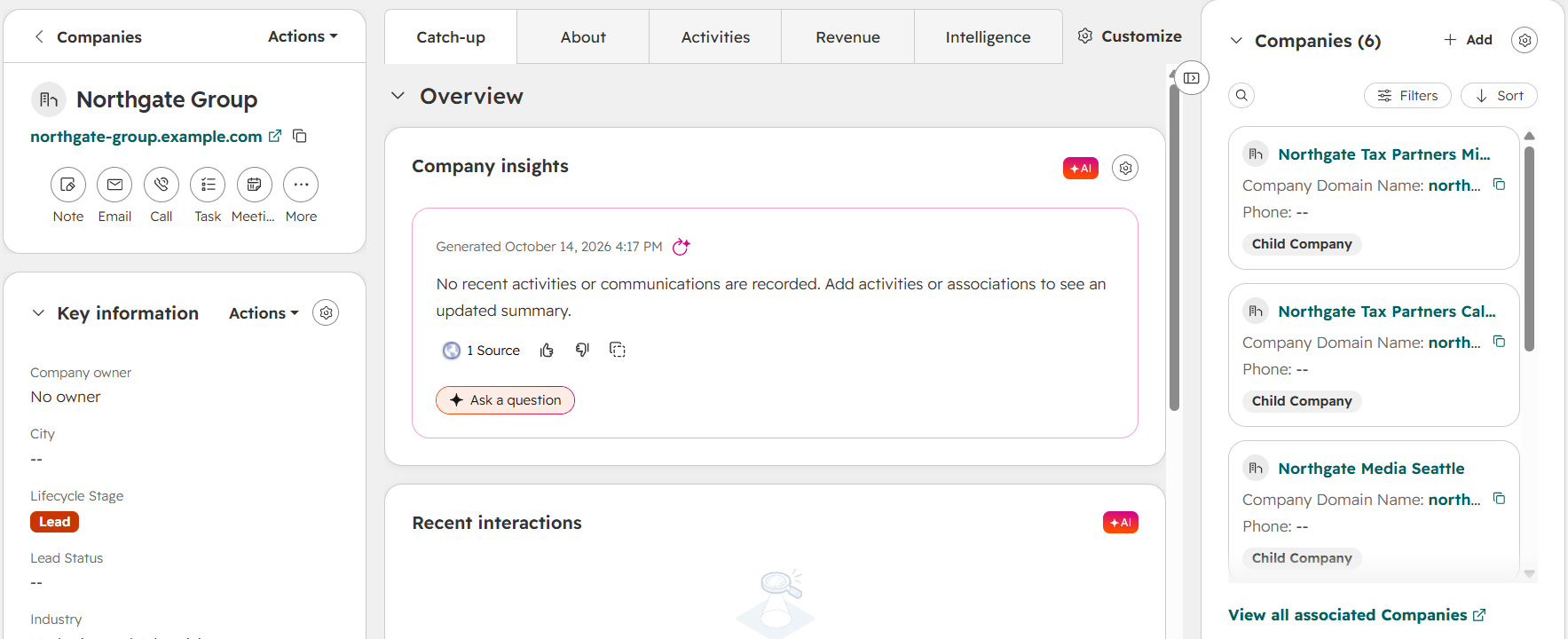
A Python sync reads that workspace and writes it into each CRM. Companies are matched on email domain, and 45 of them sit under a parent company.
In HubSpot, campaigns are a custom object. Each contact is linked to its campaign with an "Enrolled in" label, and every reply is a note on the contact’s timeline.
In Salesforce, the same data goes into the standard Campaign and Campaign Member objects, with each reply logged as a completed task.
Rules inside each CRM do the rest. A positive reply opens a deal on the Outbound pipeline with the contact, the company and a follow-up task attached. A bounce or an unsubscribe marks the contact unqualified.
§ III Build decisions
What I chose, and why.
Every write matches on an ID that comes from Emailify, so a second run creates nothing new. Both CRMs were checked after one.
The deal workflow has a guard: a contact with an open deal does not get a second one. It was tested both ways, including the case where the guard field is empty, which in HubSpot did not behave the way the filter reads.
Duplicates are handled at both ends. The sync matches companies on domain and takes over an existing contact with the same email instead of copying it. Planted duplicates were merged by hand in HubSpot.
In Salesforce, the opportunity flow looks up its record type by name instead of storing an ID, so it still works when it moves between orgs.
§ IV What you can see
The evidence, and its limits.
§ V Built with
The stack underneath.
- HubSpot
- Salesforce
- Python
- HubSpot CRM API
- Salesforce REST & Metadata API
- Supabase
Bring the process.We’ll find the possibility.
Tell me what keeps landing on your team’s plate and we’ll talk through what could work better.
✦