Use the team’s existing inbox as the review surface. A separate approval tool is one more place to forget to look.
← Selected workPlate 01 of 03
ReportOps
Working demonstrationA report can be automated. The relationship needs a person.
A reporting workflow that assembles the report, routes it through the account manager’s inbox, and keeps approval with the team.
- Project
- ReportOps
- Context
- Working demonstration
- My role
- Workflow design and implementation
§ I The problem
Why this exists.
Reporting is not the document. Someone tracks what is due, pulls the numbers together, checks the draft, sends it, and then handles every question that comes back. The document is the small part.
§ II How it works
The workflow, step by step.
1Client sheetCadence, due date and the account manager who owns each client.
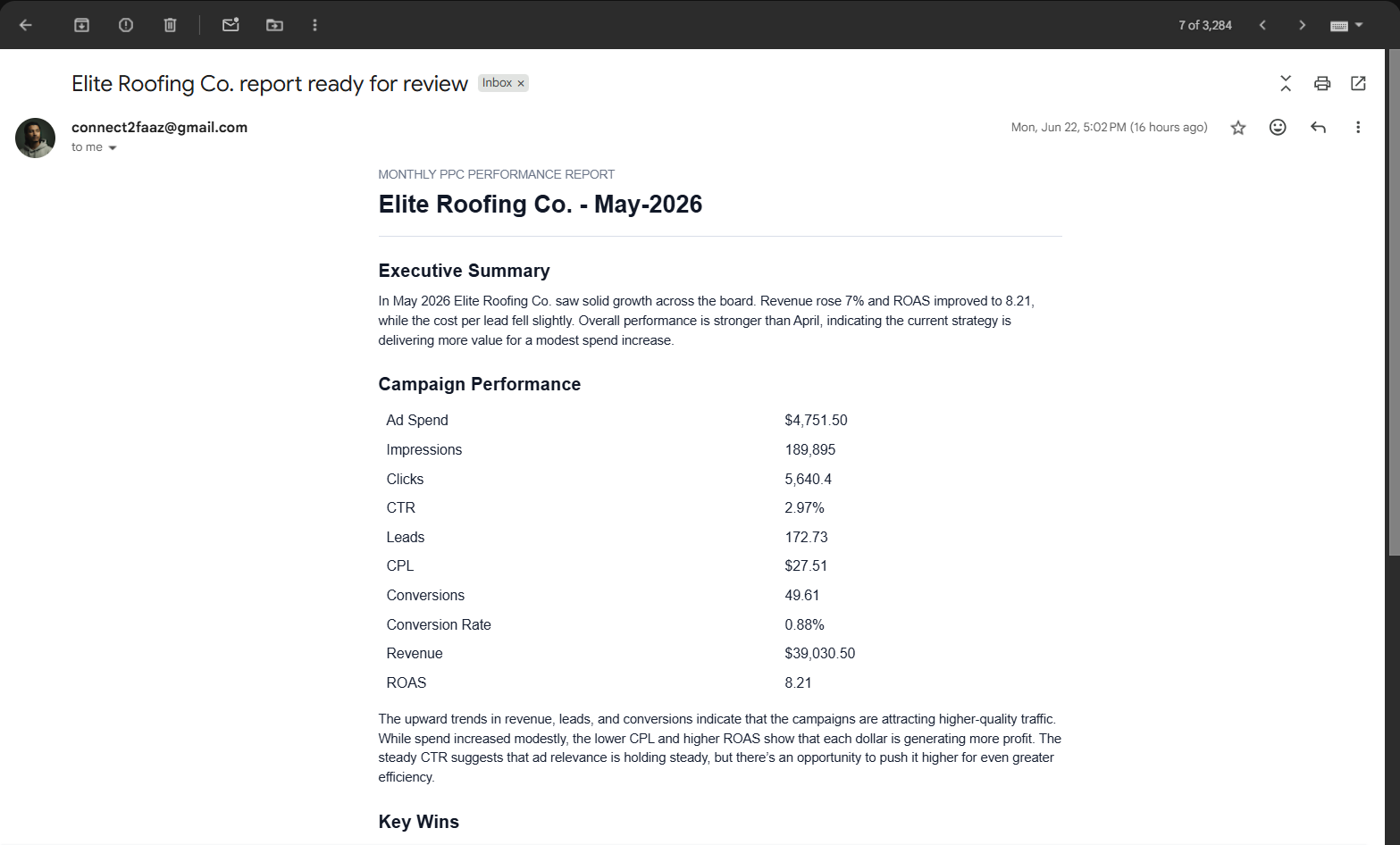
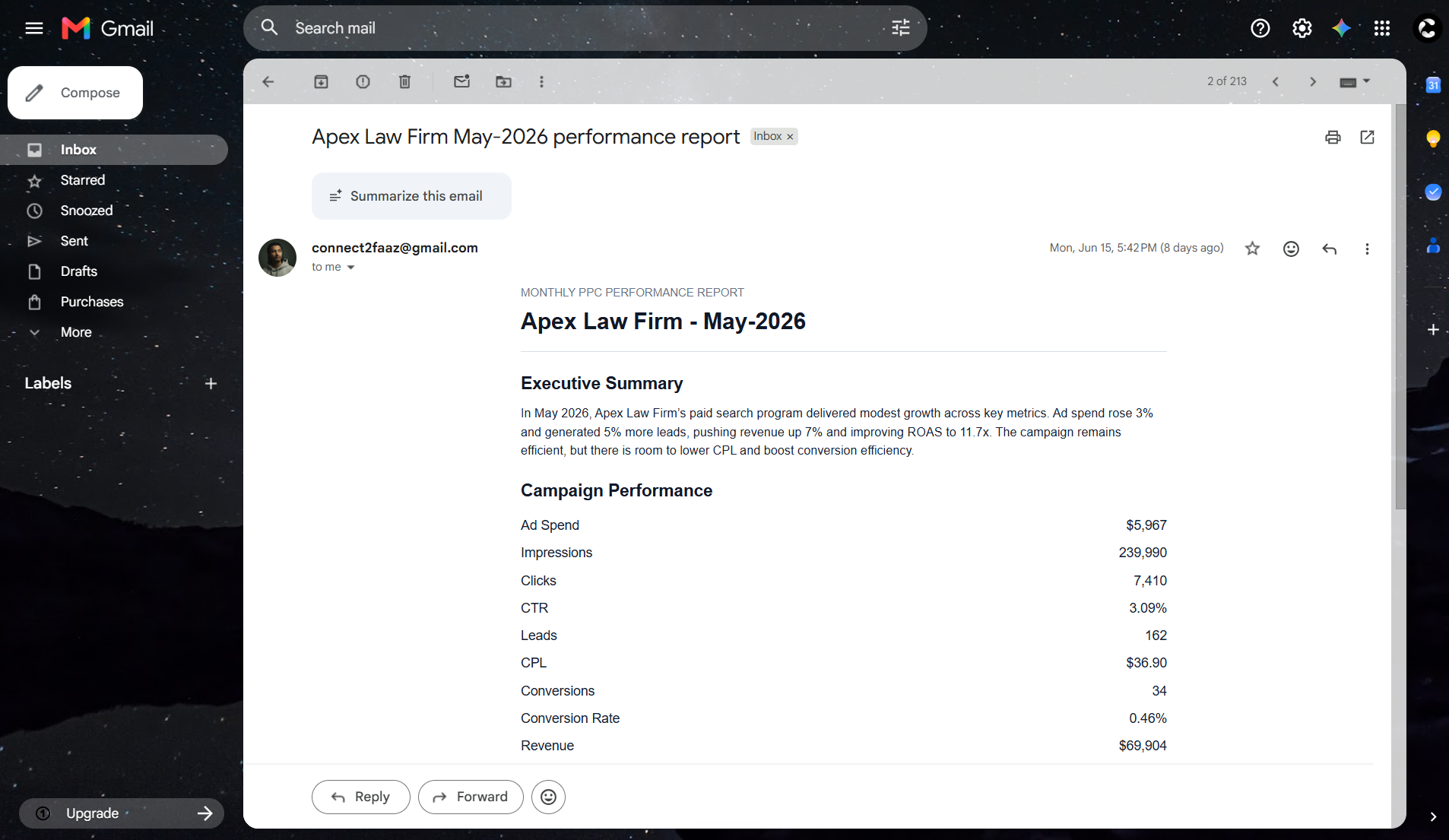
2Draft assembledA scheduled job finds what is due and writes the report from that client’s metrics.
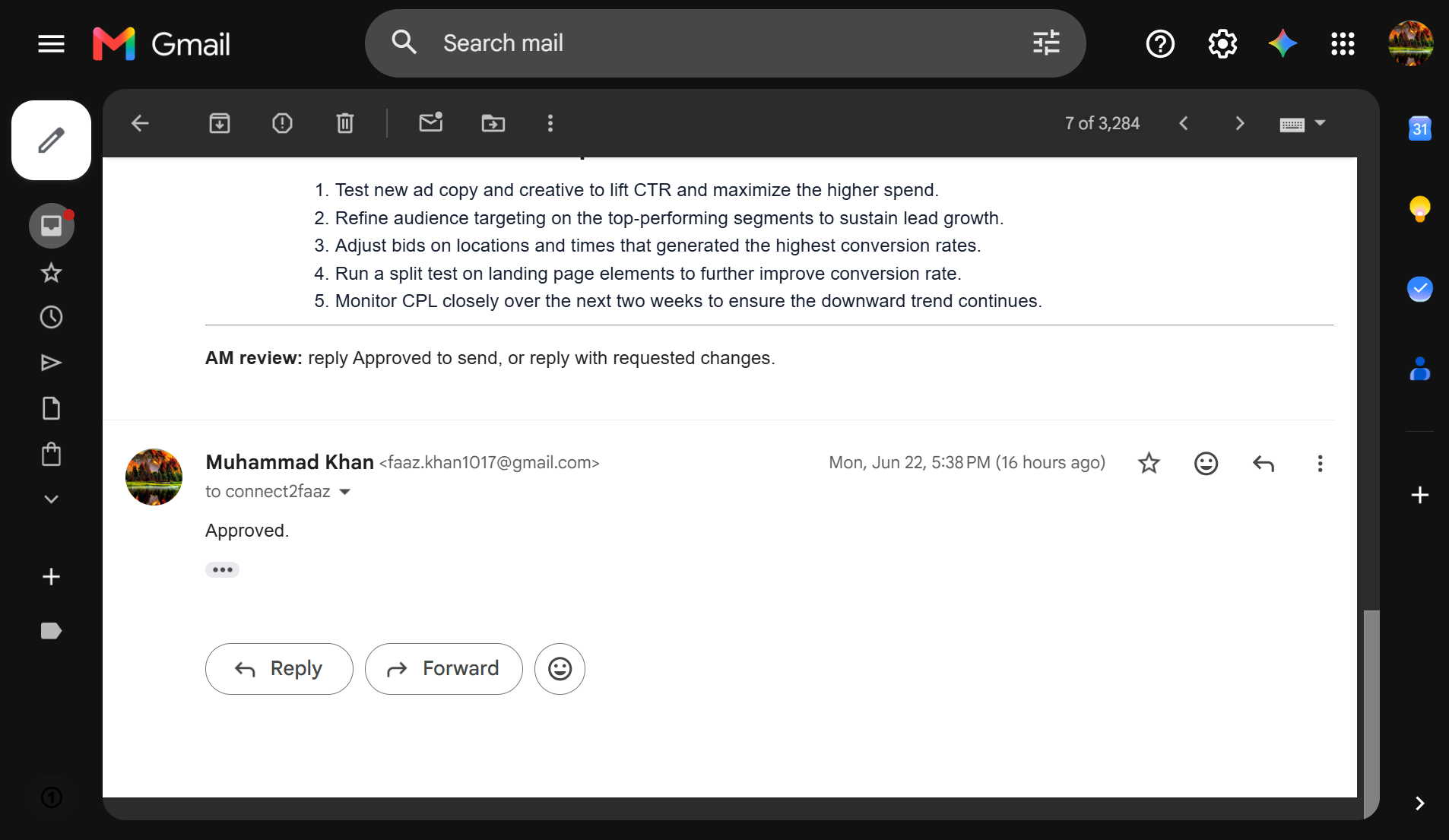
3Account manager approvesThe draft lands in their normal inbox. They approve it or ask for changes.
4Client receives itOnly an approved report goes out.
5
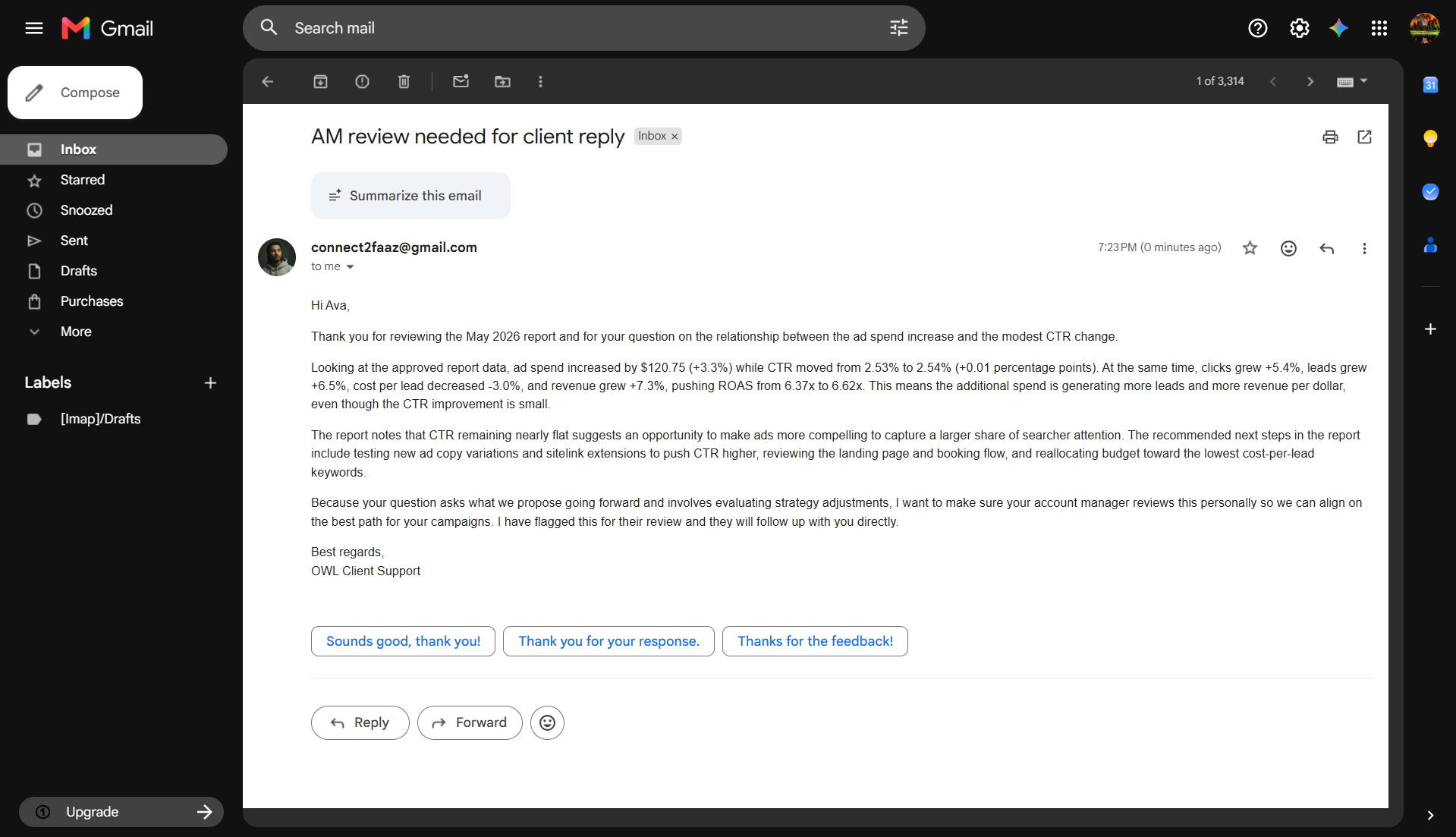
When the client replies with a question, routine ones are answered from the report’s own numbers. Anything touchy, a bad month or a budget question, goes to a person instead.
A client sheet holds the reporting cadence, the due date, the client details and the account manager who owns them.
A scheduled job checks which reports are due and prepares a draft from that client’s own metrics.
The account manager gets the draft in Gmail, where they already work, and either approves it or asks for changes.
The approved report goes to the client. Follow-up questions are handled by risk: routine ones are answered from the report, sensitive ones go back to a person.
§ III Build decisions
What I chose, and why.
Make approval a required step. Nothing reaches a client that a person has not seen.
Treat routine questions differently from sensitive ones, instead of routing everything the same way.
Keep the cadence and the assigned reviewer explicit in the client record, so the workflow has one source of truth rather than inferring who owns what.
§ IV What you can see
The evidence, and its limits.
§ V Built with
The stack underneath.
- Google Sheets
- Gmail API
- Python
- Scheduled jobs
- AI drafting
Bring the process.We’ll find the possibility.
Tell me what keeps landing on your team’s plate and we’ll talk through what could work better.
✦