Let’s talk
Faaz KhanAI Automation · Cognivio AIKarachi ↗ Everywhere

Make room for the workthat matters.

✦

I build AI automation systems for reporting, research and follow-ups, so your team spends less time repeating the same tasks.

Strategy, systems & the work betweenPersonal portfolio

§ I Selected work

Three systems, start to finish.

Each one shown the same way: what it does, how it moves, what it is built from, and what it looks like running.

ReportOps

Working demonstration

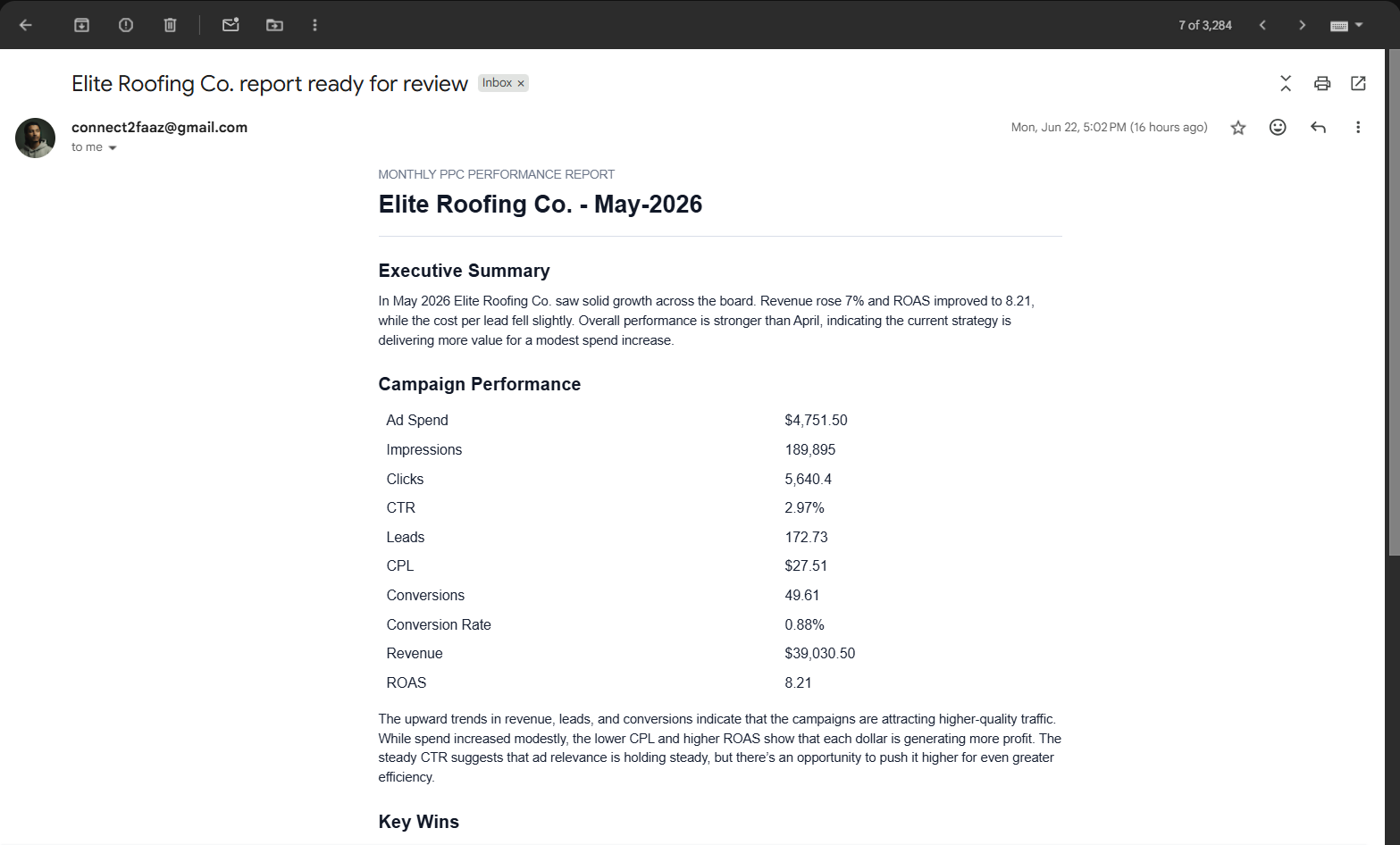
A client reporting workflow. It assembles the report, puts it in the account manager’s inbox for approval, and answers the questions that come back.

Fig. 1 — The reporting workflow, end to end
1Client sheetCadence, due date and the account manager who owns each client.
2Draft assembledA scheduled job finds what is due and writes the report from that client’s metrics.
3Account manager approvesThe draft lands in their normal inbox. They approve it or ask for changes.
4Client receives itOnly an approved report goes out.
5

When the client replies with a question, routine ones are answered from the report’s own numbers. Anything touchy, a bad month or a budget question, goes to a person instead.

The problem

Reporting is not the document. Someone tracks what is due, pulls the numbers together, checks the draft, sends it, and then handles every question that comes back. The document is the small part.

What it does

  • Knows which client reports are due and when
  • Writes the draft from that client’s own metrics
  • Holds delivery until a human approves
  • Answers routine follow-ups and escalates the rest

Built with

  • Google Sheets
  • Gmail API
  • Python
  • Scheduled jobs
  • AI drafting
A drafted monthly PPC performance report open in Gmail, with an executive summary and a campaign metrics table
Specimen — a drafted report waiting for review in Gmail. Example client, example metrics. Not a client result.

Emailify

Built & operated by me

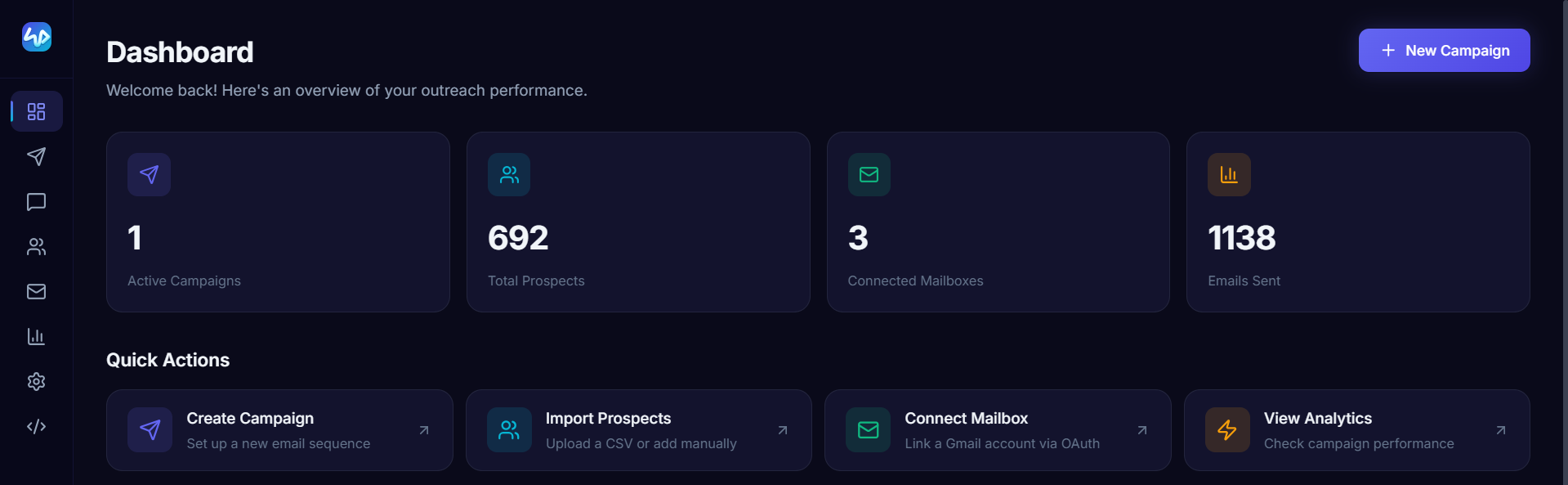
My own cold outreach platform. The interface, the sending engine, the follow-up logic and the reply handling are all things I built and run.

Fig. 2 — What happens after a campaign starts
1Campaign builtProspects imported, fields mapped, a multi-step sequence written.
2Engine sendsScheduled jobs check the sending window, the mailbox limits and the queue before anything goes out.
3Thread heldFollow-ups keep the original mailbox and stay in the same Gmail conversation.
4Reply handledA reply stops the sequence. Deterministic rules run first, before any model does.
5

An unmatched reply has to pass a confidence and evidence check before a permitted template is even offered. Ambiguous ones come to me. Negative and unsubscribe replies get no automatic answer at all.

The problem

An outreach campaign has too many moving parts to run out of a spreadsheet: prospect data, sequences, mailbox connections, sending limits, follow-up timing, replies. I wanted the logic behind all of it to be mine.

What it does

  • Runs the interface and the sending engine as separate services, so scheduled work does not need an open browser
  • Enforces per-campaign sending limits and queue priority
  • Keeps sender and thread consistent across every follow-up step
  • Routes uncertain and sensitive replies to a person

Built with

  • React
  • Vite
  • Tailwind
  • Python / FastAPI
  • Modal
  • Supabase
  • Gmail API / OAuth
The Emailify dashboard showing active campaigns, total prospects, connected mailboxes and emails sent
Specimen — the Emailify console. Live operating figures from my own sending.

Research

Documented process

A repeatable way to find something real about a company, check that it holds up, and turn it into an opening worth reading.

Fig. 3 — From public source to a message worth sending
1Read the sourceThe company’s own site and public material, not a data vendor’s summary of it.
2Keep the evidenceThe useful detail is stored with where it came from, so it can be checked later.
3Check the fitDoes the evidence actually support the claim? Weak matches stay flagged rather than quietly passing.
4Write the openingThe first line traces back to something the company actually said or did.
5

Uncertainty stays visible. A match that does not hold up is surfaced for review instead of being silently accepted, because a wrong specific is worse than a generic opener.

The problem

A personalised message needs a reason to exist. A name and a company field are easy to fill. Finding a detail that actually matters takes research, and then it takes judgment about whether that detail holds.

What it does

  • Pulls facts from a company’s own public material
  • Stores each fact with its source
  • Separates supported matches from weak ones
  • Produces a draft opening for review, never an auto-send

Built with

  • Public source research
  • Site extraction
  • Structured data
  • AI assistance
  • Human review

§ II Where I can help

The work between your tools.

Four kinds of problem I take on. Most engagements start with one of them and stay narrow on purpose.

I

Business workflows

The same task keeps landing on someone’s plate.

I map the steps that repeat, connect the tools that already hold the information, and put the review step exactly where a person needs to make the call.

  • Collect the input
  • Prepare the work
  • Review & deliver
II

Connected systems

Your tools have the information. Someone still moves it by hand.

I connect inboxes, spreadsheets and applications so the right information reaches the next step without a person copying it across.

  • Read the source
  • Map the fields
  • Update the destination
III

Research & AI assistance

Useful research takes more than filling in a name field.

I build evidence gathering and drafting workflows that keep sources attached and send the uncertain cases to a person instead of guessing.

  • Gather evidence
  • Check the context
  • Prepare a draft
IV

Care after the build

A workflow has to keep working as the business changes.

I document the system, trace problems when they appear, and update the parts that need to change once your team is actually using it.

  • Understand the issue
  • Fix & verify
  • Document the change

§ III On the workbench

Smaller builds, same approach.

Workflows built for a specific job. Less documented than the three above, still running.

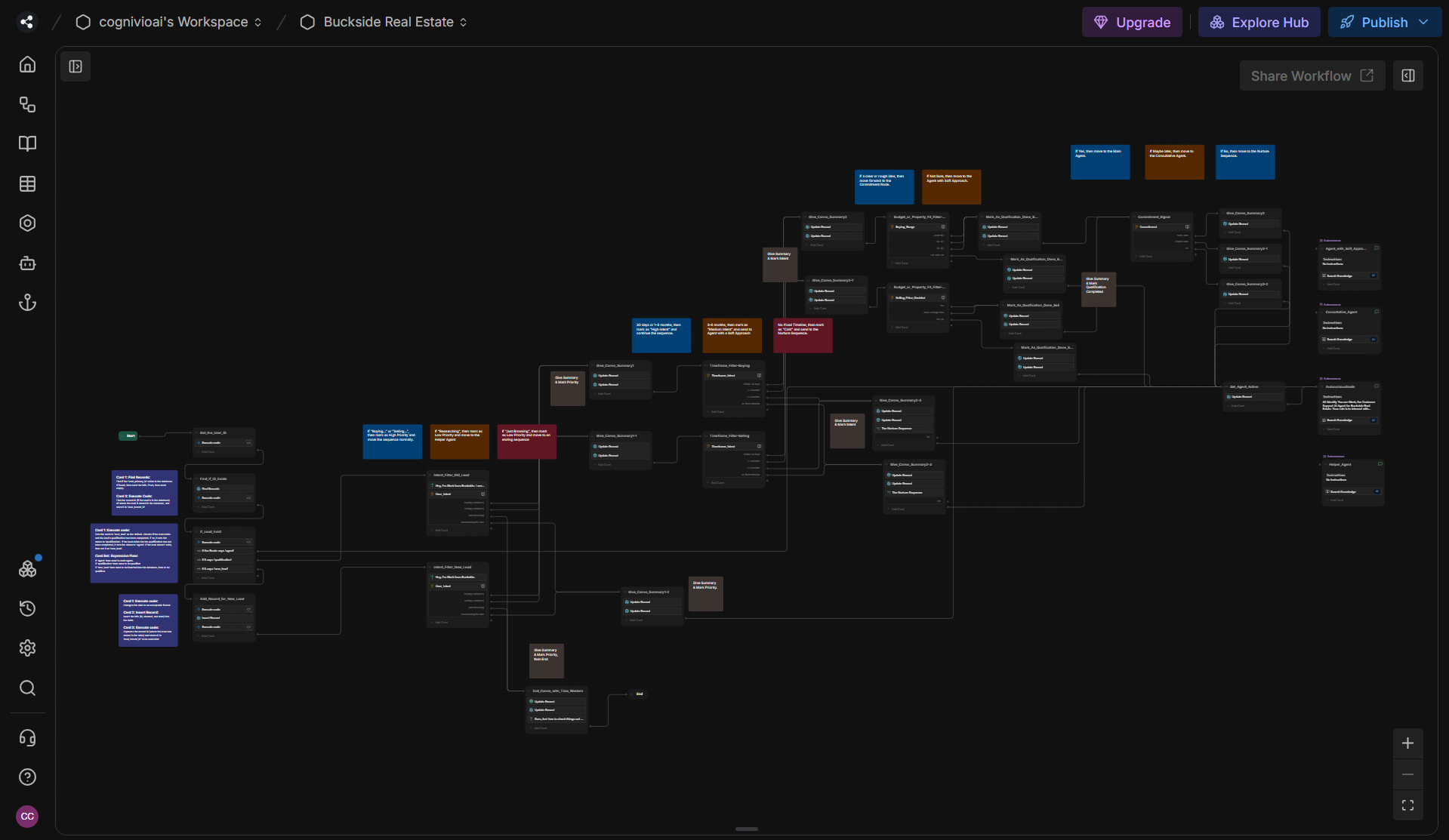
The lead qualification chatbot workflow
Conversation / Qualification

Lead qualification chatbot

A real estate conversation flow that gathers requirements, checks intent and timing, then routes the lead to the right next step.

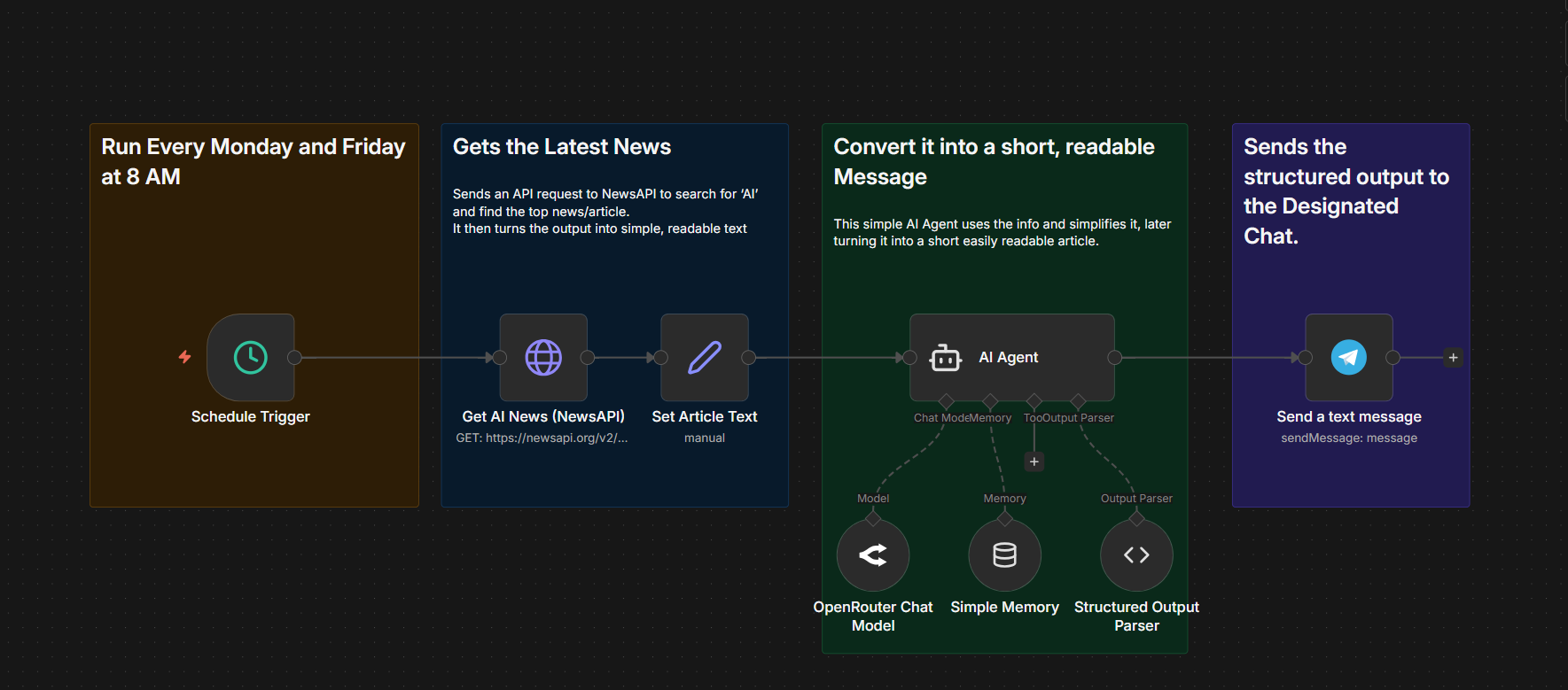
The newsletter automation workflow
Content / Recurring delivery

Newsletter automation

A scheduled workflow that gathers AI news, turns it into a readable summary, and delivers the structured output to a chat.

The job-based prospecting enrichment workflow
Research / Enrichment

Job-based prospecting

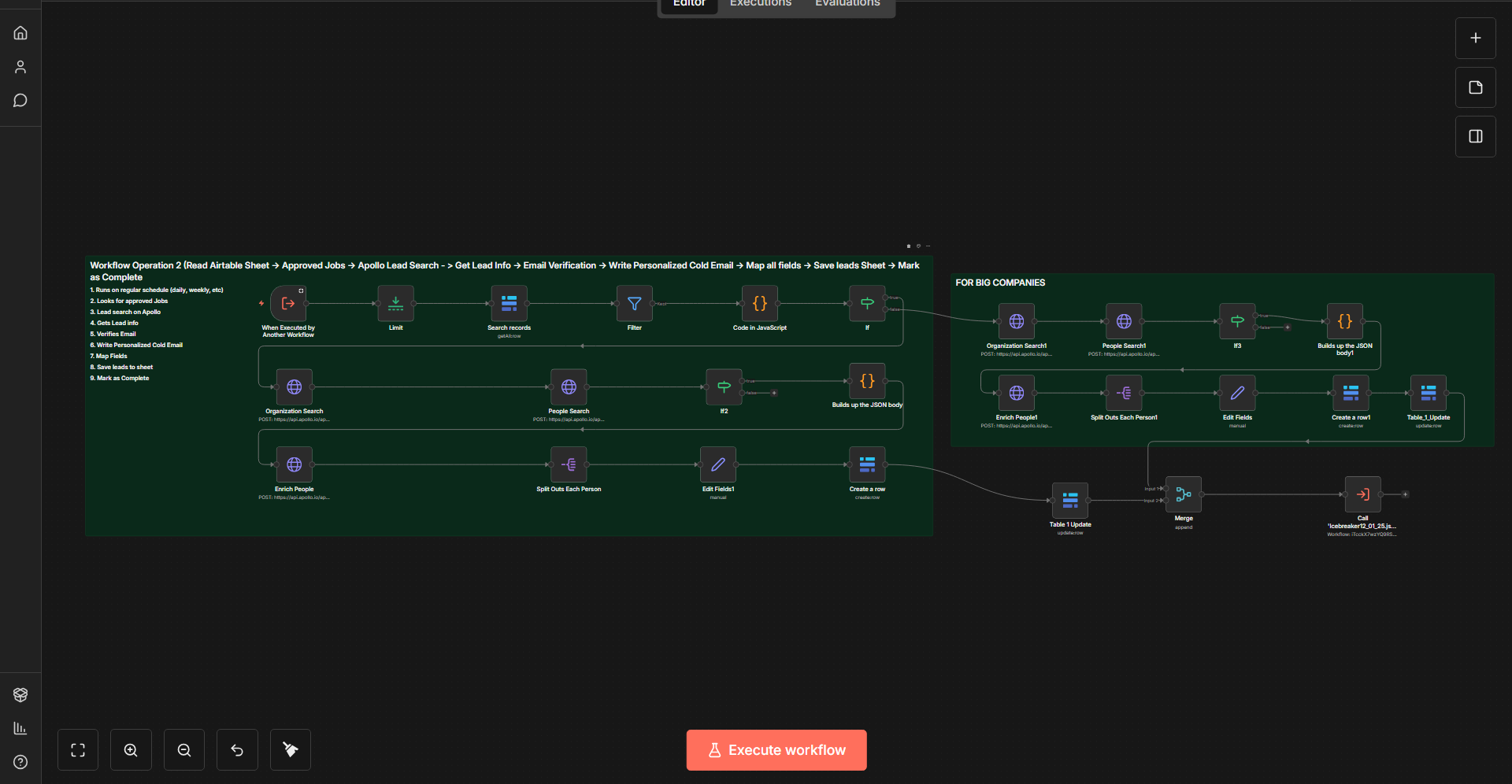
Hiring signals drive company research, contact enrichment, verification, and the preparation of a personalised opening.

§ IV About

The person behind the systems.

Karachi, Pakistan. Founder of Cognivio AI. I work with founders and small teams who have outgrown doing it by hand.

Faaz Khan
Faaz Khan
Founder, Cognivio AI

I like making useful things.

Most of what I build starts the same way. Someone on a team is doing a task by hand for the fourth time that week, and nobody has stopped to ask whether it needs a person at all.

So I start with how the work actually happens. Where it repeats, where it gets stuck, and where somebody genuinely has to make the call. Then I build around that, rather than around whichever tool is fashionable this month.

What I have built so far: my own outreach platform, a reporting workflow with human approval in the middle of it, and a research process built on evidence that stays attached to its source. Alongside those I have worked on SEO, website delivery and reporting at Obsidian Logic.

The part I care about is the handoff. A system should take the repetition and hand back the judgment, not the other way around.

Faaz.

§ V How we would work

Start with the problem. Build what helps.

One system at a time, with a clear definition of done agreed before anything gets built.

Map the work

We walk through the process, the tools, and the places where work gets stuck.

You leave withA clear picture of the workflow and the problem worth solving.

Scope one system

We agree on the inputs, the boundaries, the review steps, and what a good result looks like.

We agree onA focused scope and acceptance criteria before the build starts.

Build & test

I connect the steps and test both the expected path and what happens when something fails.

You reviewA working demonstration against the process we mapped.

Hand over & support

We walk through the system together and agree on the care it needs after handover.

You receiveThe working system, documentation, and a walkthrough.

§ VI Get in touch

Bring the process.We’ll find the possibility.

Tell me what keeps landing on your team’s plate. We will talk through what could work better, and you will get a clear picture of it either way.

Pick a time · 15 minutesOpen in a new tab ↗

Loading the calendar…

✦
Faaz.KhanAI Automation · Cognivio AIBack to top ↑