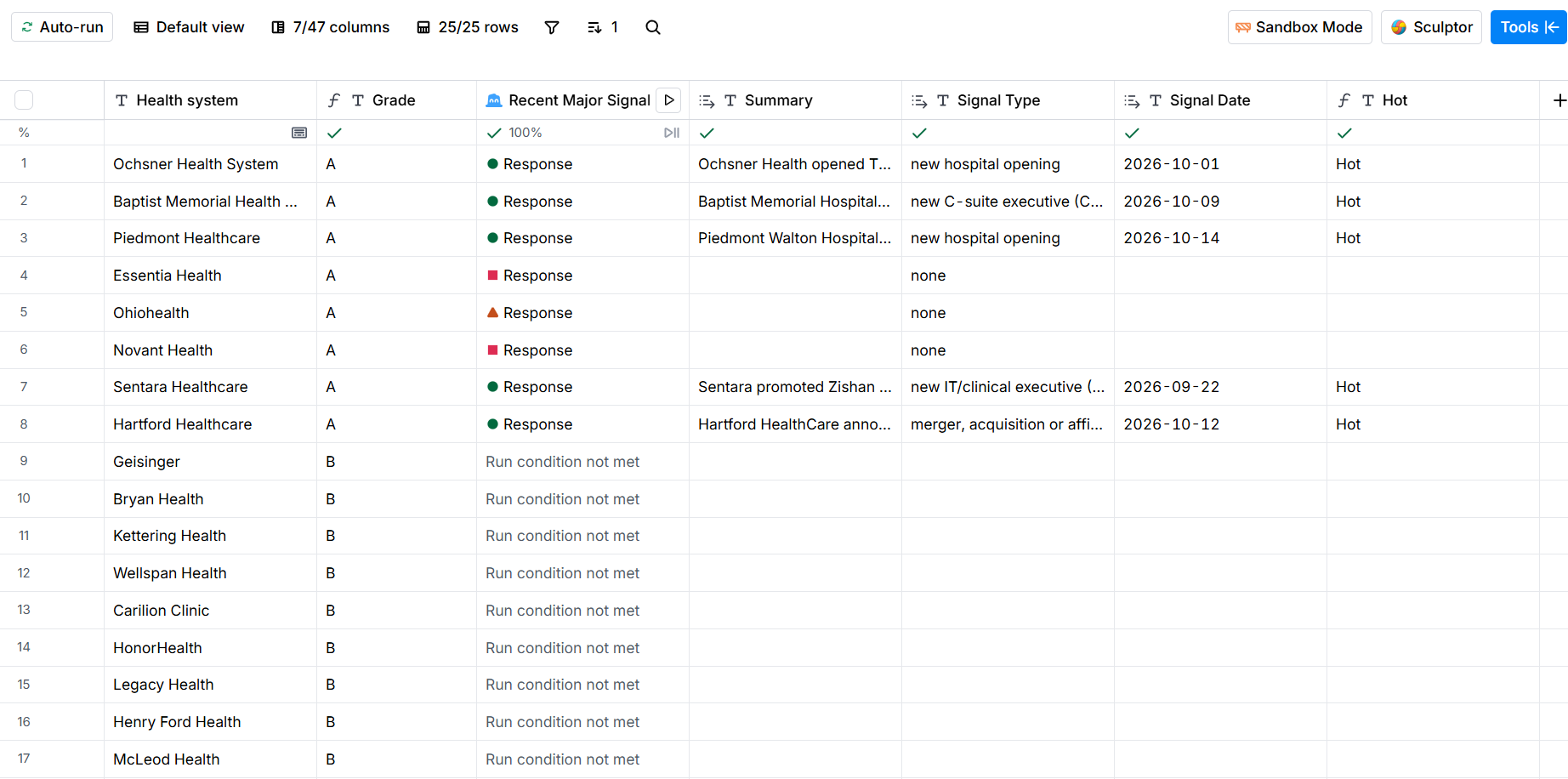
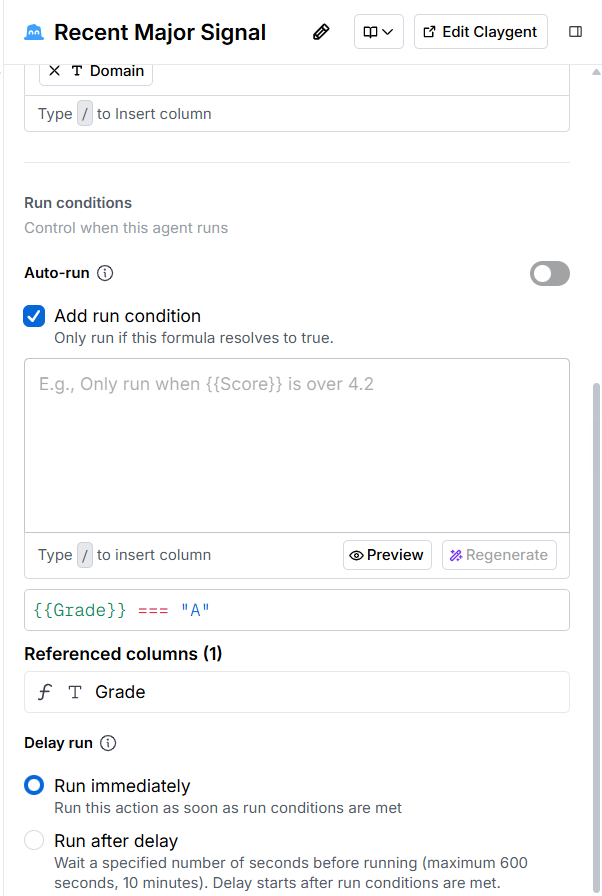
Grade first, research second. Claygent is the expensive column, so a run condition keeps it to A rows. The first full run of the table cost 10.7 credits.
← Selected workPlate 02 of 05
Clay signal table
Sample build to a real briefSpend the credits where the accounts are.
A sample Clay table built to the brief in a GTM agency’s job post, whose client sells into US health systems: grade the accounts, research the best ones, find contacts, and put the grades and signals on the company record in HubSpot.
- Project
- Clay signal table
- Context
- Sample build to a real brief, public data
- My role
- Table design and build
§ I The problem
Why this exists.
An account list with no order to it burns the credit budget and the rep’s week. Claygent charges the same to research a dead account as a live one, and the rep still has to guess where to start.
§ II How it works
The workflow, step by step.
1Accounts imported25 US health systems from a public federal dataset, with hospitals, beds and teaching status.
2Graded A, B or CA formula column grades each account on its size before any credits are spent.
3A accounts researchedClaygent looks for a recent signal and returns a summary, the type, the date and the source. A run condition keeps it off B and C rows.
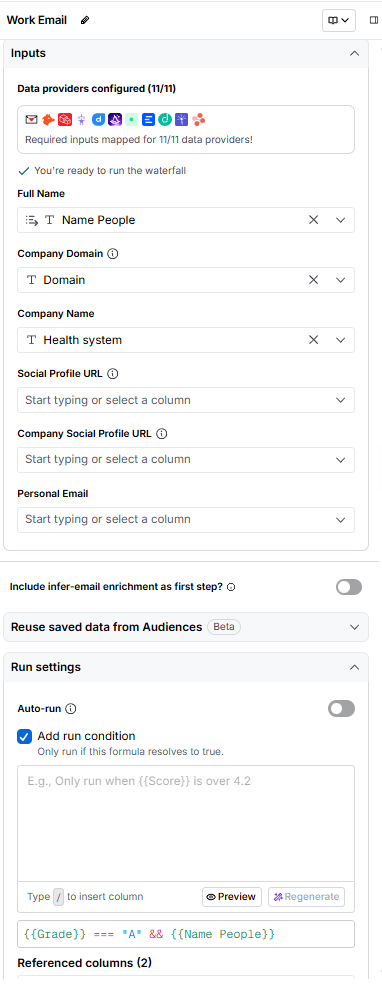
4Contacts foundPeople on title filters, then a work email waterfall with Findymail validation. It runs only where the grade and a found name justify the credits.
5
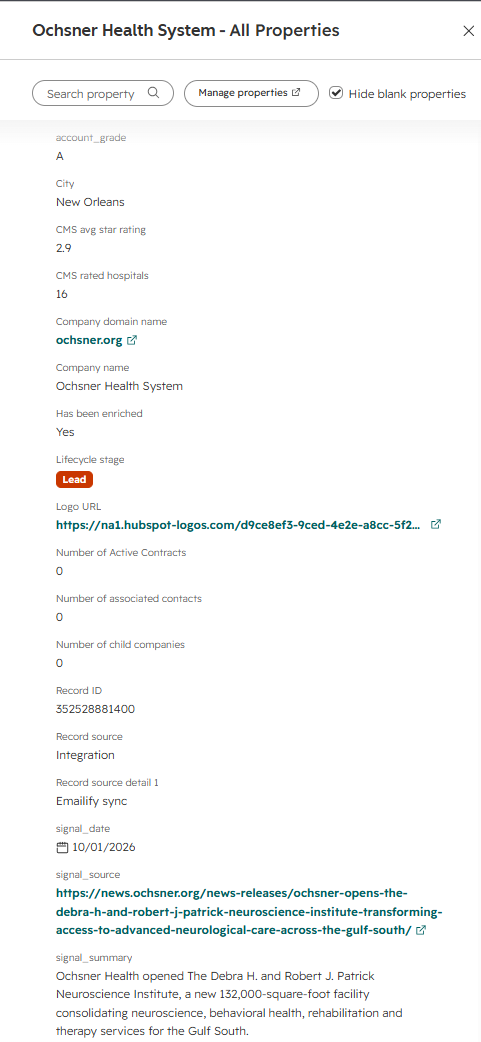
An A account with a fresh signal is flagged hot. The grades and signals are written to the company record in HubSpot, matched on domain, so a second run updates the same records and creates nothing new.
The input is 25 US health systems from the AHRQ Compendium of U.S. Health Systems, a public federal dataset, imported as a CSV with hospitals, beds, physicians and teaching status.
A formula column grades each system A, B or C on its size, so the table knows which rows are worth money before it spends any.
Claygent researches the A accounts only. It looks for a recent signal, such as a new hospital, a new executive or a merger, and returns it as four structured fields: a summary, the signal type, its date and the source link.
Find contacts at company pulls people on title filters. A work email waterfall then runs with Findymail validation, gated on the grade and on a name being found.
A second formula flags an account hot when it is graded A and has a fresh signal.
A Python script pushes the grades and signals into a HubSpot test portal as company properties, matched on domain, and adds CMS hospital star ratings from the public CMS API.
§ III Build decisions
What I chose, and why.
An email counts only once it passes validation. An address nobody checked goes into a send list quietly and shows up two weeks later as bounces.
The email waterfall waits for a found name and a grade that justifies it, so no credits go on emails at accounts nobody will work.
The CRM push matches on the company domain, so running it twice updates the same records and creates nothing new.
The CRM push and the CMS ratings run as a Python script on the HubSpot and CMS APIs, because Clay’s HTTP column and CRM sync need the Growth plan and this workspace is on Free. In an agency’s Growth workspace, that step moves into the table.
The input is a public dataset, so the table can be shown and shared without exposing anyone’s client list.
§ IV What you can see
The evidence, and its limits.
§ V Built with
The stack underneath.
- Clay
- Claygent
- Work email waterfall
- Findymail
- Python
- HubSpot API
- CMS public API
Bring the process.We’ll find the possibility.
Tell me what keeps landing on your team’s plate and we’ll talk through what could work better.
✦